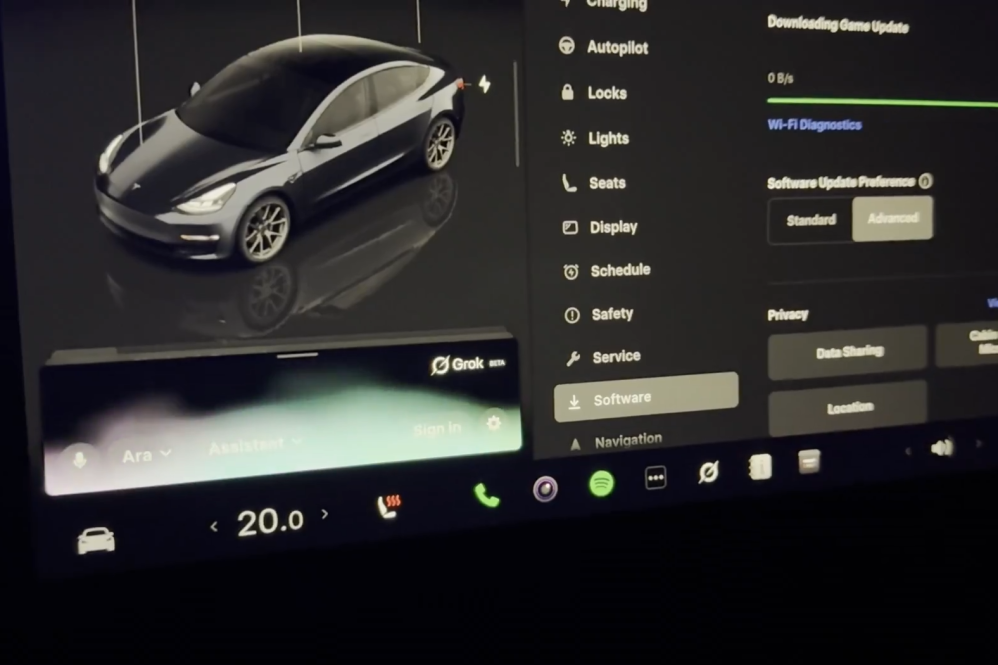
Tesla owners will soon be able to do a lot more with Grok than ask questions or control over 100 vehicle functions. The in-car AI assistant has gained support for Grok Bot, giving it access to outside services and the ability to complete everyday tasks, from checking emails and reviewing documents to ordering coffee or booking a restaurant reservation.
Tesla announced the new feature on Tuesday, but several owners received early access and have showcased how useful Grok Bots can be.
In one example, Vancouver Tesla owner Devin Olsen used Grok to order Starbucks while travelling with Full Self-Driving (FSD) engaged. After confirming the drink and total, Grok completed the purchase, leaving Olsen to pick up the coffee upon arrival.
Grok @bot is in the Tesla now.
— Devin Olsen (@DevinOlsenn) September 22, 2026
I used it to order Starbucks while FSD drove. No phone, just voice. Confirmed the drink and total, then it placed the order.
This is the first thing that actually feels like the car can run an errand with you.
Currently available to SuperGrok… pic.twitter.com/YPb6BwKVwT
Another owner demonstrated ordering AirPods and coffee during a trip to the mall, all through the existing Grok voice interface in their Model Y.
The integration also supports services such as DoorDash, Uber Eats, and OpenTable, opening up possibilities for ordering dinner on the way home or making a restaurant reservation during a commute.
How to Set Up Grok Connectors
Before Grok can access outside services, owners need to link their accounts through the Grok app using Connectors.
To do this, open the app, tap the + icon, select New Connector, and choose the service you want to connect. After signing in, Grok can access that service when needed.
There is an important distinction between the two new features. Connectors are available to all users, while Grok Bot, which handles more complex tasks such as placing orders and booking appointments, currently requires a SuperGrok Heavy subscription, which costs US$300 per month.
Tesla says access to Grok Bot will expand to additional subscription tiers, although it hasn’t provided a timeline.
For owners who already use Grok in their vehicles, the new functionality is integrated into the existing voice interface, with no separate in-car app required.
.@Grok in your Tesla can now do meaningful work for you
— Tesla (@Tesla) September 22, 2026
With Connectors, you can manage your inbox, clean up your calendar, or talk through existing files/chat/tasks – all hands-free pic.twitter.com/W1LuybQh0P

Always get the latest - make Drive Tesla your preferred source on Google
Are you buying a Tesla? If you enjoy our content and we helped in your decision, use our referral link to get three months of Full Self-Driving (FSD).Drive Tesla uses affiliate links, which means we may earn a commission if you make a purchase through them, at no additional cost to you. Thank you for your support.